FOR MANAGED SERVICE PROVIDERS
MSP asset management software for every client site
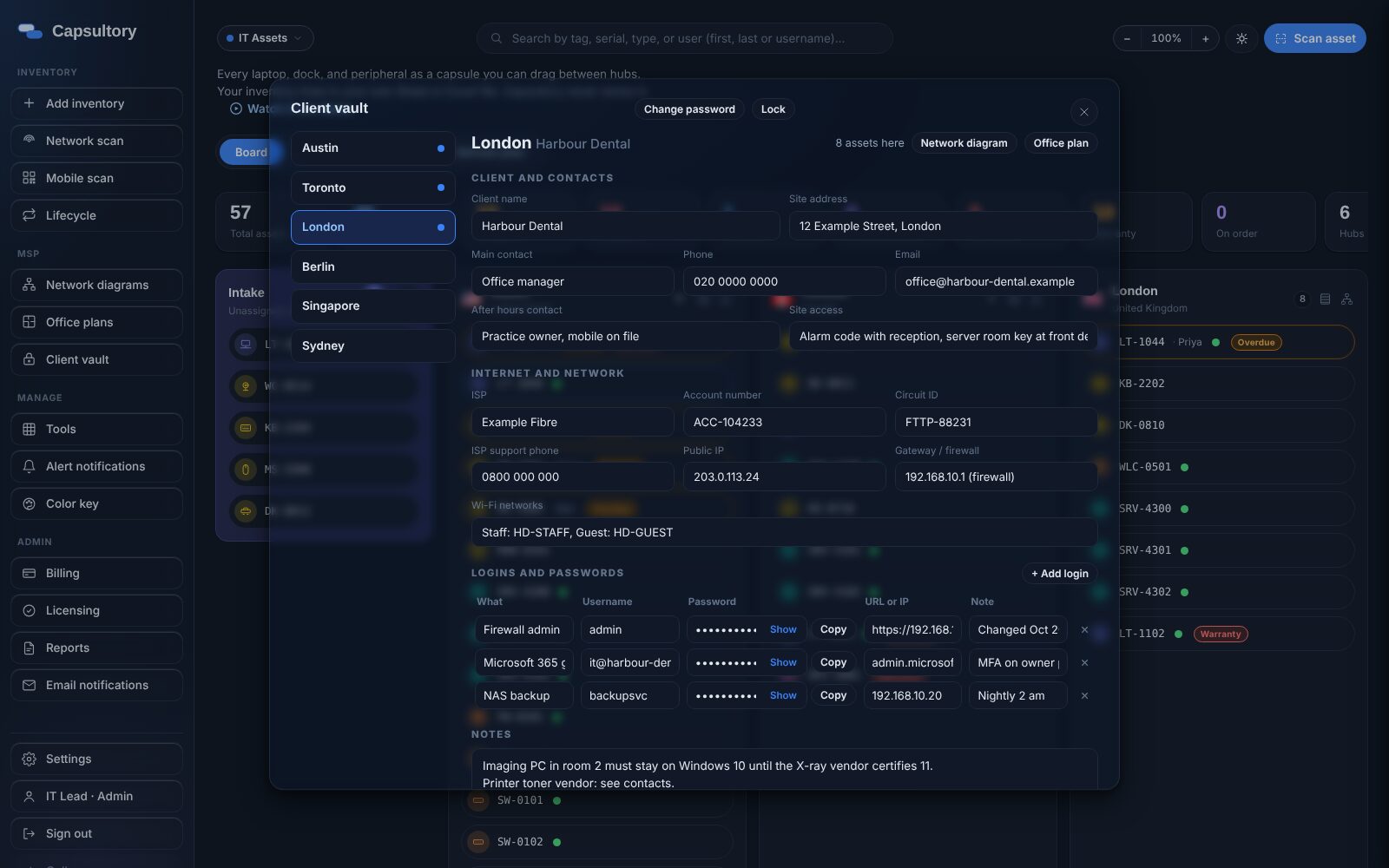
An MSP looks after hardware, networks and logins across many client sites. Capsultory keeps each site as its own hub with its assets, network diagram, office plan and an encrypted vault for notes and passwords, and tracks the parts that go out on each job.
What you get
A hub per client site
Every client location is a hub with its own assets, loans and warranty dates.
Agentless network scan
Find what is on a client network without installing an agent, then add devices to inventory.
Network diagrams and office plans
Draw the network and the floor plan straight from inventory, per site.
Encrypted client vault
Keep site notes, contacts and logins locked, with an optional extra password per location.
Jobs and work orders
Open a job for an install or ticket, add the assets that go out and the parts used, and print a job sheet.
Slack and Teams updates
Post asset changes, completed jobs and low stock to your team channel.
How it works
Add client sites
Create a hub for each client location.
Scan and import
Run a network scan or import from Intune, Jamf, SCCM, Lansweeper or Excel.
Document the site
Draw the network, place desks on the office plan and fill the vault.
Track the work
Use jobs to record what went out to each client and why.
A practical guide
Keep each client separate
Hubs keep every client's hardware, diagrams and vault entries apart, so a technician on site sees only what matters there.
Record parts against tickets
When a job carries the ticket number, the parts and assets used are easy to bill and easy to audit later.
Lock what matters
The client vault is encrypted with a password you choose. Admins can add an extra password per location for sensitive sites.
Pricing
Common questions
Is client data stored on your servers?
No. Capsultory keeps inventory on your own computer or network share. There is no Capsultory cloud holding client data.
Can technicians see only some clients?
Custom roles narrow what a Tech account can change, and the vault can need a separate password per location.
Does it integrate with my RMM or PSA?
Capsultory reads devices from Intune, Jamf and SCCM, and takes status updates from ticketing tools through Zapier or a web request.
How much does it cost?
IT Assets is priced per location, never per seat: Single Site is $99 USD a month for up to 200 assets, and Multi Site is $249 a month for up to 5 locations with unlimited assets. Every plan starts with a 14 day free trial.
Related
TRY IT ON YOUR OWN DATA
Fourteen days, no card.
Download the Windows app, import your list and see if it fits. Your inventory stays on your own computer the whole time.
Download the free trial →